
Import / Export
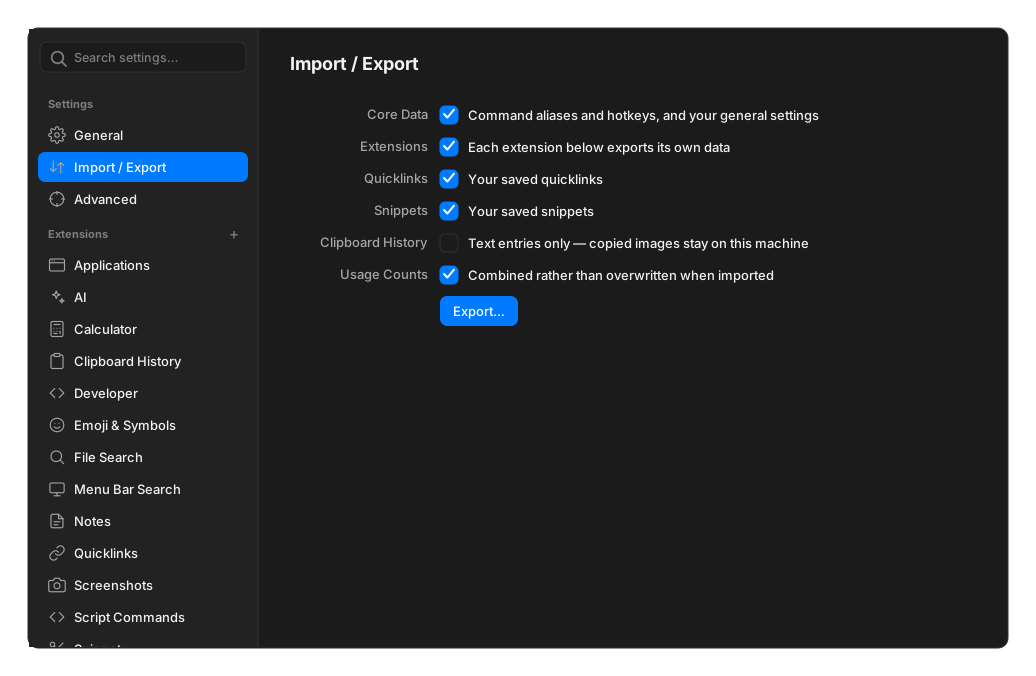
Export writes your data to a single file. You choose what goes in it, and you are offered a passphrase to encrypt it.
Encryption is optional. Skip the passphrase and you get plain, readable JSON — convenient for inspecting, and worth avoiding for anything you would not email in the clear.
What you can include
Section titled “What you can include”| Category | What it covers |
|---|---|
| Core Data | Command aliases and hotkeys, and your general settings |
| Extensions | Each extension that offers it exports its own data — quicklinks, snippets, window commands, notes, translate commands |
| Clipboard History | Text entries only. Copied images stay on this machine |
| Usage Counts | How often you have run each command, so ordering survives the move |
Extensions appear individually so you can take your snippets without your notes.
What is never exported
Section titled “What is never exported”Secrets. API keys and tokens are stored under a protected key prefix that the export refuses to read. Your AI provider keys stay on the machine they were entered on.
A handful of machine-specific settings are also excluded, since a path from one computer rarely makes sense on another: script directories, screenshot search scopes, and launch at login.
Importing
Section titled “Importing”Usage counts merge by keeping the higher of the two sides, rather than adding them up, so importing does not inflate how often you appear to use something.
Import adds and updates. It never wipes. Entries the file does not mention are left alone, and re-importing the same file is a no-op rather than creating duplicates. Where the same item exists on both sides, the more recent one wins, so importing an old backup will not resurrect something you deleted since.
A file from a newer version still imports — anything unrecognised is skipped rather than failing the whole import.
A wrong passphrase is reported as a wrong passphrase, distinctly from a corrupt or unrelated file.
For extension authors
Section titled “For extension authors”An extension joins this pane by declaring two hooks. See Import / Export hooks.