
First run
Open the palette
Section titled “Open the palette”| Platform | Default hotkey |
|---|---|
| macOS | ⌘ Space |
| Windows and Linux | Alt Space |
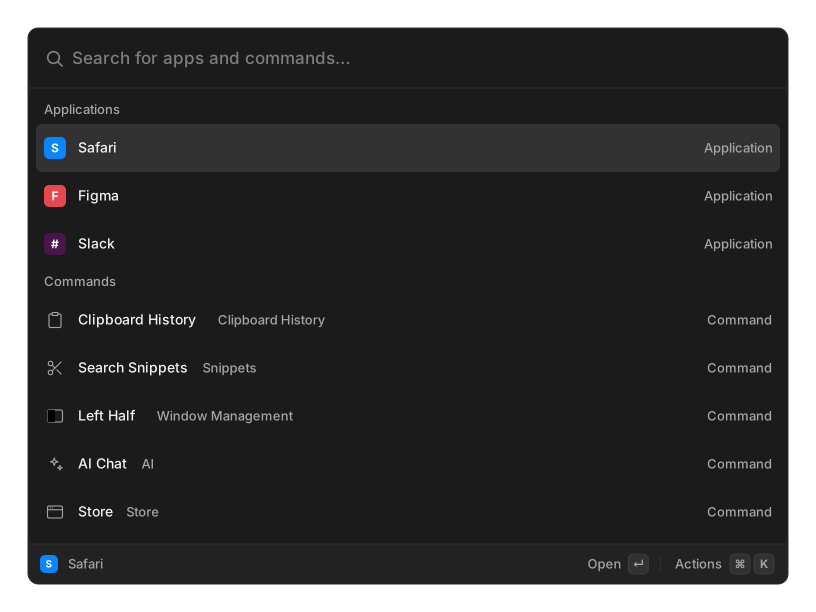
Change it in Settings → General, or from the tray icon.
macOS: Spotlight owns ⌘ Space too
Section titled “macOS: Spotlight owns ⌘ Space too”If both are bound, both open at once. Spotlight holds the OS-level binding and OpenRay’s hook fires independently of it.
Unbind Spotlight under System Settings → Keyboard → Keyboard Shortcuts → Spotlight → Show Spotlight search, or choose a different hotkey for OpenRay. Details in macOS platform notes.
macOS: grant Accessibility
Section titled “macOS: grant Accessibility”The first time OpenRay pastes into another app it asks for Accessibility permission and links you into System Settings → Privacy & Security → Accessibility.
Until you grant it, pasting falls back to copying to the clipboard and tells you so. Snippet auto-expansion needs the same permission.
Windows: if the hotkey does nothing
Section titled “Windows: if the hotkey does nothing”Windows reserves most Win-key combinations and some Alt ones for the shell, and a
combination it reserves fails to register silently. Pick one starting with Ctrl or Alt.
See Windows platform notes.
Linux: Wayland shows a confirmation dialog
Section titled “Linux: Wayland shows a confirmation dialog”On Wayland the hotkey is bound through a desktop portal, so your compositor asks you to
confirm the binding. If you decline it, or your desktop has no portal, bind your desktop
environment’s own shortcut to run openray — launching it a second time toggles the
palette. Recipes for GNOME, KDE and tiling compositors are in
Linux platform notes.
Wayland also cannot paste into another application, so OpenRay copies instead. That is a platform limitation, not a setting.
- Core concepts — how search, commands and actions fit together
- Keyboard shortcuts