
Window Management
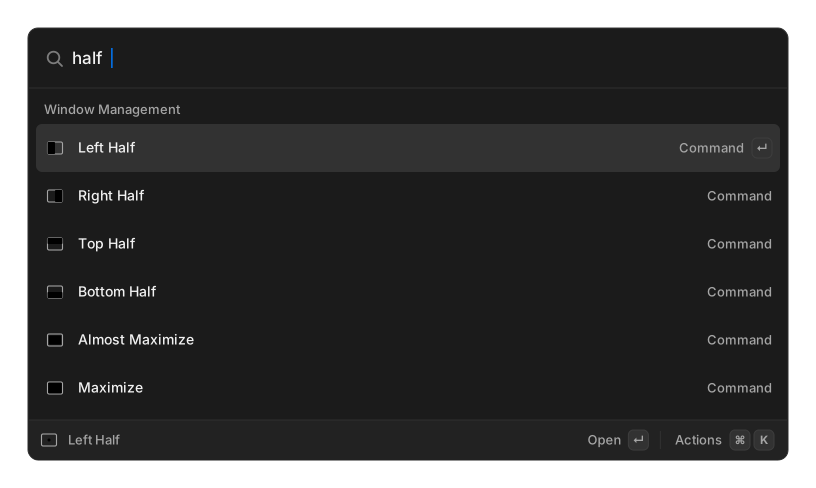
Type a preset name in root search — left half, maximize, center — and the frontmost
window moves. Give the ones you use a hotkey and
you never open the palette at all.
Presets
Section titled “Presets”Halves — Left Half, Right Half, Top Half, Bottom Half.
Quarters — Top Left Quarter, Top Right Quarter, Bottom Left Quarter, Bottom Right Quarter.
Sixths — Top Left Sixth, Top Center Sixth, Top Right Sixth, Bottom Left Sixth, Bottom Center Sixth, Bottom Right Sixth.
Thirds — First Third, Center Third, Last Third, First Two Thirds, Last Two Thirds.
Size — Maximize, Almost Maximize (90% of the screen), Maximize Height, Maximize Width, Reasonable Size (60% of the screen, capped at 1025 × 900), Make Larger, Make Smaller, Toggle Fullscreen.
Position — Center, Move Left, Move Right, Move Up, Move Down (each jumps the window flush against that edge, keeping its size), Next Display, Previous Display.
Restore puts a window back where it was before the last move. It is remembered for the session only, so it will tell you if there is nothing to restore.
Next Display and Previous Display only appear when you have more than one display.
Half-size cycling
Section titled “Half-size cycling”Press the same half command again on the same window and it cycles the size through ½ → ⅔ → ⅓ and round again. Any other action, or switching window, resets it. Turn this off in Settings if you prefer a plain half every time.
Custom layouts
Section titled “Custom layouts”Create Window Command builds your own preset:
| Field | Meaning |
|---|---|
| Title | What you type in root search |
| Unit | Percent of screen, or Pixels |
| Width / Height | Required |
| X / Y | Optional — leave blank to centre that axis |
Custom commands are always clamped inside the screen’s work area. Browse, edit and delete them with Search Window Commands.
Settings
Section titled “Settings”| Setting | Options | Default |
|---|---|---|
| Window Gap | 0 to 64 px | 0 |
| Cycle Half Sizes | on / off | on |
Platform support
Section titled “Platform support”| Platform | Works | Requires |
|---|---|---|
| Linux (X11) | yes | nothing — this is the path verified on real hardware |
| Linux (Wayland) | no | not possible; the commands are hidden entirely |
| macOS | yes | Accessibility permission, prompted on first use |
| Windows | yes | nothing extra |
The macOS and Windows implementations are compile-checked but have not been exercised on real hardware. See Platform verification.
Related
Section titled “Related”- Switch Windows
- Extensions and commands — assign hotkeys