
Translate
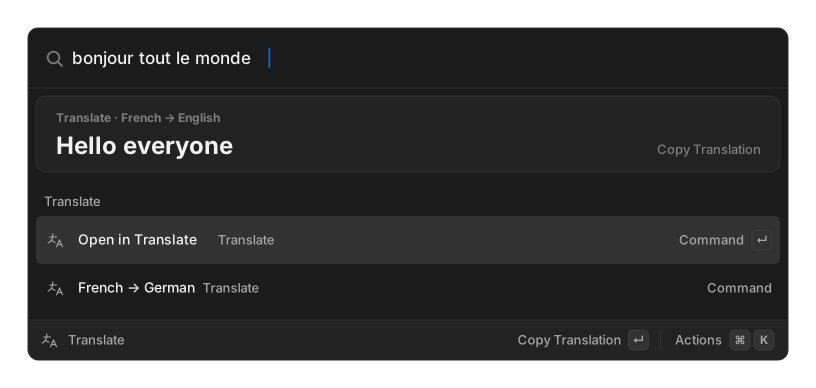
No API key, no account. Translation goes through Google’s free endpoint over one plain HTTPS request.
Translate from root search
Section titled “Translate from root search”Two forms work directly in the palette:
hello in germantranslate bonjour tout le mondeThe first names its target language. The second uses your Default Target Language. Either way the translation appears in a card above the results, and ↵ copies it.
If a translation fails, no row appears rather than an error row.
The Translate view
Section titled “The Translate view”The Translate command opens a full view where the search bar is the input. It shows the detected source language, keeps your last 20 translations when the box is empty, and offers Copy Translation, Paste Translation, Copy Source Text, Swap Languages, and language pickers.
Changing the target language here becomes your new default.
Language-pair commands
Section titled “Language-pair commands”Create Translate Command makes a fixed pair its own row in root search:
| Field | Default |
|---|---|
| Title | required, e.g. To French |
| Source Language | Detect Language |
| Target Language | en |
Manage them with Search Translate Commands. 109 languages are available, including Simplified and Traditional Chinese.
Settings
Section titled “Settings”| Setting | Options | Default |
|---|---|---|
| Primary Action | Copy, Paste | Copy |
| Default Source Language | Detect Language, or any language | Detect Language |
| Default Target Language | any language | English |
| Save Translation History | on / off | on |
History holds 100 entries and can be cleared from the settings pane.