
System Commands
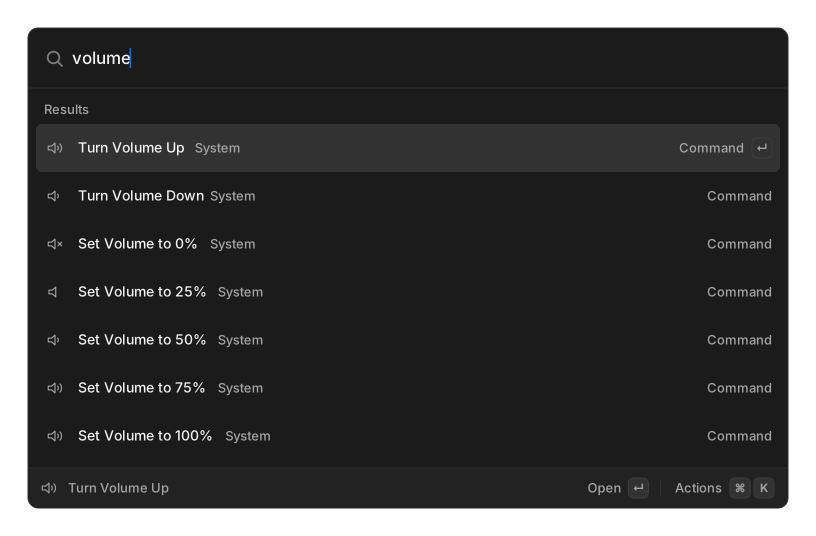
Type sleep, lock, mute or restart in root search. Every row is subtitled System.
Shut Down, Restart, Log Out and Empty Trash ask for confirmation first. The rest run immediately.
What is available
Section titled “What is available”| Command | macOS | Linux | Windows |
|---|---|---|---|
| Lock Screen | yes | needs loginctl |
— |
| Sleep | yes | needs systemctl |
— |
| Restart | yes | needs systemctl |
— |
| Shut Down | yes | needs systemctl |
— |
| Log Out | yes | needs xfce4-session-logout or loginctl |
— |
| Sleep Displays | yes | needs xset |
— |
| Show Screen Saver | yes | needs xdg-screensaver |
— |
| Play / Pause, Next Track, Previous Track | yes | needs playerctl |
— |
| Toggle Mute, Volume Up / Down, Set Volume to 0/25/50/75/100% | yes | needs wpctl or pactl |
— |
| Open Trash, Empty Trash | yes | needs gio |
— |
| Show Desktop | — | needs wmctrl |
— |
| Toggle Bluetooth | — | needs rfkill |
— |
| Toggle System Appearance | yes | GNOME only, needs gsettings |
— |
Windows is not supported. No system commands appear there.
On macOS, Show Desktop and Toggle Bluetooth are deliberately absent: one would need Accessibility permission for a Mission Control keystroke, the other needs root.
On Linux, a command whose required binary is missing is hidden from search. The volume, mute and Log Out rows are the exception — they always appear, and tell you at run time if the tool they need is not installed.
Related
Section titled “Related”- Window Management
- Script Commands — for anything not in this list