
Notes
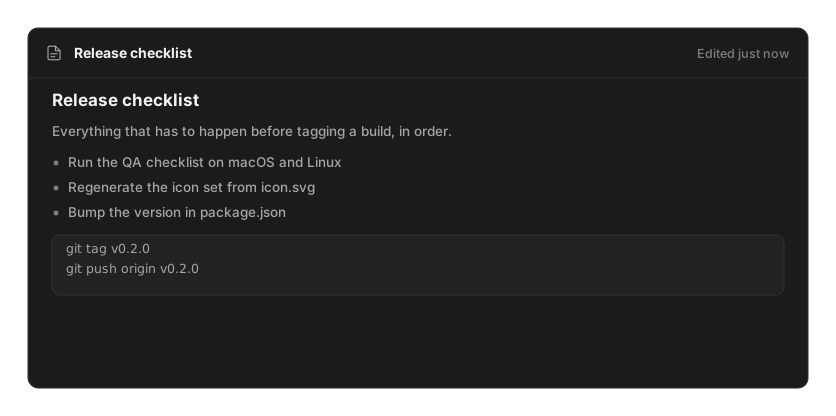
The Notes command toggles a small floating window. Press it once to open your notes, again to put them away.
A note has no title field. Its first line becomes its name, with any leading markdown stripped
— a heading #, a quote >, a - or * bullet, a numbered 1., or a - [ ] checkbox — so
you just start writing.
Quick capture
Section titled “Quick capture”Type note followed by anything in root search:
note call the bank about the invoiceA card appears offering to create it. ↵ makes the note and opens it. This is the fastest path from a thought to somewhere it will not be lost.
The editor
Section titled “The editor”The window is a real rich editor, not a text box. It gives you headings, bold, italic,
underline, strikethrough, inline code and code blocks, links, blockquotes, bullet and numbered
lists, and nested checkboxes. A format bar sits above the text, and typing : opens an inline
emoji picker.
Everything is markdown underneath, so notes stay portable.
Managing notes
Section titled “Managing notes”Inside the window: Create Note (⌘N), Browse Notes (⌘P), Pin Note, Duplicate Note, Delete Note. Deleting moves you to another note without asking for confirmation, so pin anything you would hate to lose by reflex.
Search Notes searches both titles and full content, pinned notes first.
Every note also appears as its own row in root search, so a note called “Release checklist” is reachable by typing part of that name.
Settings
Section titled “Settings”| Setting | Default |
|---|---|
| Always on Top | off |
The setting is applied when the window opens, so toggling it does not affect a window already on screen.