
Menu Bar Search
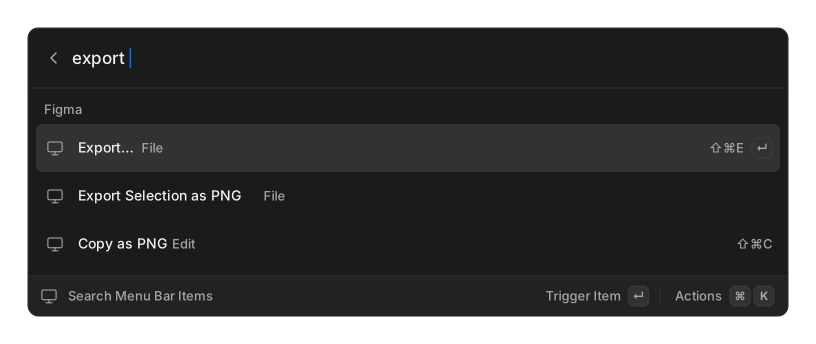
Search Menu Bar Items reads the menus of whatever application you were just in, so you can find a buried command by typing its name instead of hunting through menus.
Each row shows the item and its menu path, plus its own keyboard shortcut where the application declares one. Items the application has greyed out are marked Disabled and cannot be triggered.
Platform support
Section titled “Platform support”The row only appears where menu introspection is possible.
| Platform | Works | Notes |
|---|---|---|
| macOS | yes | Needs Accessibility permission |
| Windows | classic apps only | See below |
| Linux | only with a global-menu exporter | See below |
On Windows, OpenRay reads the classic Win32 menu bar. Traditional applications such as Notepad++ and other Win32, MFC and WinForms programs work. Apps that draw their own menus — anything Electron-based, Store apps, and Office with its ribbon — expose nothing to read, so you get an empty list. That covers a lot of modern software.
On Linux, OpenRay reads menus over D-Bus from KDE/Qt or GTK global-menu exporters. On a desktop with no such exporter — a stock XFCE session, for example — the command appears but the list comes up empty, because nothing published a menu to read.
If no application can be resolved, you get No App Menu Found. Focus the app you want before opening the palette.