
Calculator
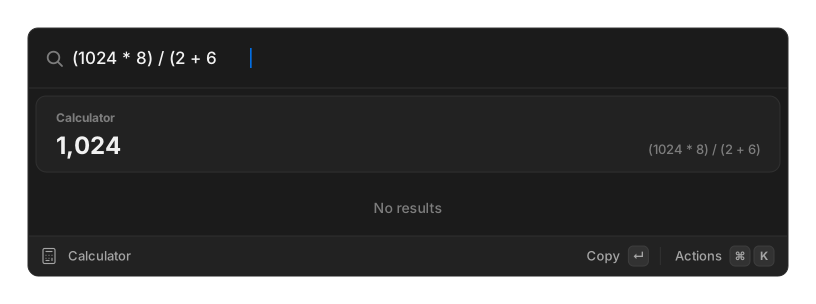
There is no calculator command to open. Type a question in root search and the answer appears in a card above the results.
Press ↵ to copy the answer. ⌘↵ copies the raw unformatted value, and ⌘⇧↵ copies the whole
question = answer line.
Nothing appears unless what you typed actually parses, so an app name or a snippet keyword never produces a stray calculator row.
Arithmetic
Section titled “Arithmetic”1024 * 8(3 + 4) ^ 217 mod 5sqrt(144) + ln(e)Operators are + - * / ^ %, with parentheses. Words work too: plus, minus, times, x,
divided by, mod, power. pi and e are constants, and a trailing deg converts
degrees to radians.
Functions available: sqrt, cbrt, abs, round, floor, ceil, ln, log10, log2,
exp, sin, cos, tan, cot, sec, csc, asin, acos, atan, sinh, cosh,
tanh, asinh, acosh, atanh.
Half-typed parentheses are closed for you, so the answer keeps updating while you type.
Percentages
Section titled “Percentages”15% of 24020% off 858% on 5015% tip on 62of takes the percentage, off subtracts it, and on and tip on add it to the total. A
bare 52% on its own just divides by a hundred.
Unit conversion
Section titled “Unit conversion”128 gb to mb10ft in m72f to c5 miles in kmSplit on either in or to. Covered categories are length, mass, temperature, data size,
area, volume and speed, with the usual aliases, so ft, feet and foot all work.
Three special targets go beyond plain units: px at N ppi, to timespan, and in workdays.
Currency
Section titled “Currency”100 usd to eur€50 in gbp1.5k eur to jpyCurrency codes and symbols both work, in either order. Rates come from a public exchange-rate service and are cached, refreshed when they are more than twelve hours old.
This is the one part of the calculator that uses the network. Everything else is computed locally.
Date and time
Section titled “Date and time”time in 4 hoursdays until 31 MarAugust 5 + 55pm ldn in sfdiff parisTimezone phrases understand around forty city aliases mapped to real timezones, so ldn,
sf and paris resolve without you naming a zone. Cities outside that list simply do not
match, and no row appears.
In snippets
Section titled “In snippets”{calculator expression="..."} evaluates an expression inside a snippet. Currency is the
exception there: the snippet path is given no rate table, so a currency conversion is left
unexpanded. See the placeholder reference.
Related
Section titled “Related”- Core concepts — how inline rows work
- Translate — the other inline answer