
Writing an extension
Extensions are ordinary folders — a package.json manifest and a src/ directory —
and OpenRay builds them where they sit, so your checkout stays the only copy.
Start from a template
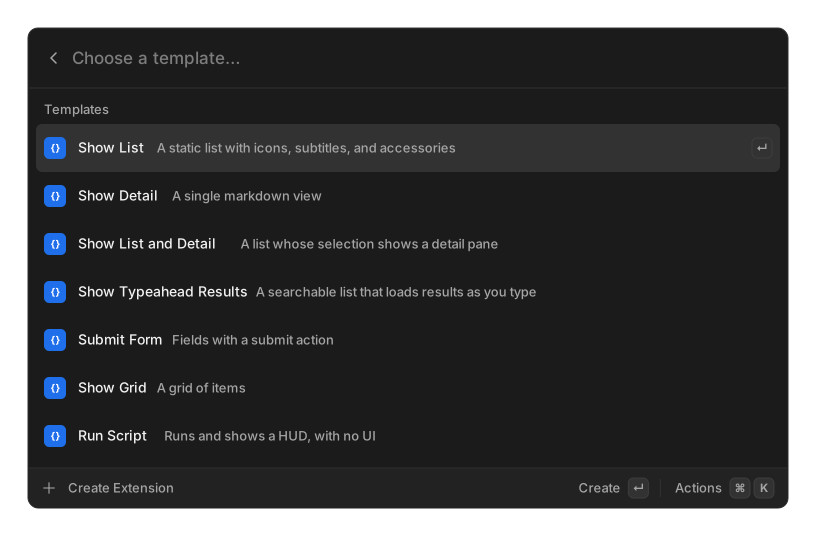
Section titled “Start from a template”The quickest start is the Create Extension command in the launcher: name it, pick a template, and the folder is scaffolded, built, and already running — its command is in the launcher before the toast fades.
From a terminal, the same scaffold:
npx openray create my-extension # prompts for a templatecd my-extension && npm installnpm run dev # == openray developBoth use the same templates (@openray/extension-template), named after Raycast’s:
| Template | What you get |
|---|---|
| Show List | A static list with icons, subtitles, and accessories |
| Show Detail | A single markdown view |
| Show List and Detail | A list whose selection shows a detail pane |
| Show Typeahead Results | A searchable list that loads results as you type |
| Submit Form | Fields with a submit action |
| Show Grid | A grid of items |
| Run Script | Runs and shows a HUD, with no UI |
Raycast’s AI template is deliberately absent, because that API is not implemented here and scaffolding it would hand you something that cannot run. There is no Menu Bar Extra template either, though that API itself does work.
Develop with hot reload
Section titled “Develop with hot reload”openray develop asks the running app to build the folder and watch it. Its commands
appear in the launcher immediately; every save rebuilds and hot-reloads whatever is
on screen, and build errors stream to the terminal instead of vanishing into a log.
Settings → Add Extension → Choose Folder… does the same thing without a terminal.
The CLI never compiles anything itself — it drives the running app over a local socket. One build pipeline serves dev mode, installs, and packing, which is what keeps a dev build and a shipped build the same artifact. The socket is Unix only for now, so on Windows use the in-app folder picker; see the CLI reference for where the socket lives.
Which API to write against
Section titled “Which API to write against”Write against @raycast/api (a dev dependency, for types only) or @openray/api.
Both are mapped onto OpenRay’s own implementation at build time, and @openray/extras
adds what Raycast has no equivalent for.
Because the API surface is Raycast-compatible, extensions from the raycast/extensions monorepo can be pointed at directly — see Installing extensions.